Managing a stalled B2B editorial approval workflow requires more than just chasing overdue sign-offs. The real challenge is understanding what’s blocking progress and choosing the right way to move forward without damaging relationships or creating confusion.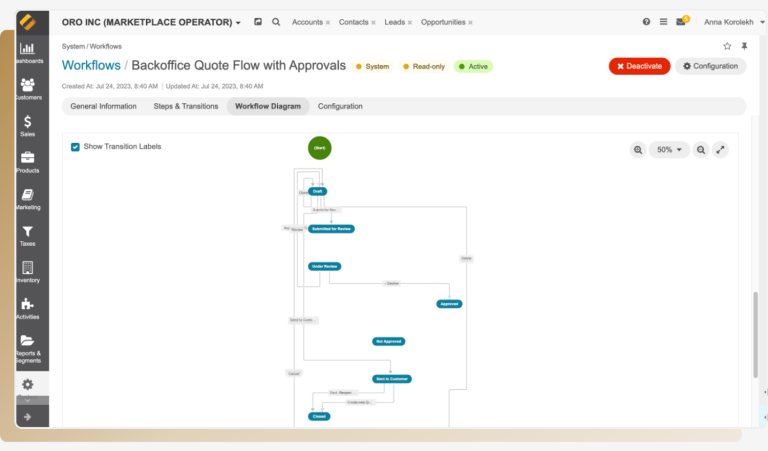
Identify the true bottleneck, not just the last approver
It’s common to assume the last assigned reviewer is the cause of delay. Often, they’re simply waiting on input from others or unclear about their role. Before sending reminders, map out who depends on whom in the approval chain:
- Is the current approver empowered to make a decision independently?
- Are they waiting for clarifications or materials from upstream teams?
- Does the assignment system reflect reality, or does it cycle tasks automatically without accountability?
Composite example: In one case, a technical approver delayed signing off because engineering hadn’t shared recent product updates. Reminders sent directly to that approver only caused frustration. Once engineering was looped in to provide missing details, approvals resumed quickly.
Craft reminders that balance urgency with respect
Reminders can either motivate or alienate stakeholders depending on tone. Too vague, and they get ignored; too harsh, and people push back.
Try this approach: clearly state why their review matters and offer help instead of pressure.
Example reminder:
“[Name], to keep our Q3 campaign on schedule and meet compliance deadlines, your review of [document] by [date] is important. Please let me know if you need any additional information or support coordinating with other teams.”
This makes expectations clear while inviting dialogue if they’re blocked.
Escalate thoughtfully and with purpose
Many avoid escalation fearing damaged relationships. But waiting too long costs time, while escalating too soon can feel like blame.
Wait 2–3 business days after your reminder before escalating. When you do escalate, frame it as seeking clarity to unblock resources, not finger-pointing.
Example escalation:
“Hi [Manager], I’m following up on [document] pending [Approver]’s sign-off. Given our tight timeline, could you please help prioritize this?”
This approach keeps momentum without antagonizing anyone.
Use reassignment carefully and transparently
Reassigning approvals can speed things up but risks confusion if done abruptly or without clear communication.
Best practices:
- Choose someone qualified who knows the project or domain
- Explain reassignment clearly to all stakeholders as temporary
- Keep original approvers informed when possible for final checks
Composite example: During a busy legal review period, we shifted sign-off temporarily to a senior counsel familiar with the project while planning a follow-up review with the original lawyer after launch. This balanced speed with compliance.
Configure workflow tools for meaningful nudges and escalations
Automated reminders alone won’t fix stalls caused by unclear roles or conflicting priorities. Setup your tools so notifications reflect real responsibilities and include staged escalation steps.
For example:
- Send initial reminder after 48 hours of inactivity
- Trigger escalation notification to managers after 5 days
- Integrate direct alerts via Slack or email tagging including relevant context
Without this structure, automated alerts become noise that people ignore.
Recovery checklist to regain control
- Map dependencies before contacting approvers, confirm if blockers stem from missing input or unclear ownership.
- Send reminders that emphasize impact and offer assistance rather than demand approval.
- Wait 2–3 days post-reminder before escalating; frame escalation as collaboration.
- Reassign approvals only when necessary; choose qualified alternates and communicate openly.
- Adjust workflow software settings for multi-stage reminders and escalations integrated with communication channels.
- After recovery, document clear roles, timelines, backup approvers, and escalation paths in your editorial process guide.
Spot deeper issues behind stalls before acting
If stalls persist despite these steps, consider whether:
- Conflicting feedback causes paralysis, appoint a final decision-maker early or hold alignment meetings quickly instead of cycling comments endlessly.
- Approvers are overloaded silently, engage sponsors to reprioritize explicitly rather than assuming silence means consent.
- Workflow tools lack visibility, use manual checks alongside automation until tooling improves accountability.
Recovering stalled workflows depends on diagnosing hidden causes and balancing interpersonal dynamics carefully. Most delays come from unspoken assumptions about ownership and timing rather than unwillingness to approve.
By clarifying responsibilities openly and communicating thoughtfully at each step, you prevent frustration and restore steady progress more effectively than chasing overdue approvals blindly.
Immediate next steps for your stalled approvals
- Open your editorial dashboard now; identify content stuck in approval and check dependencies upstream, not just assigned owners.
- Draft a concise message linking their approval to business outcomes; offer support instead of pressure; send by email or chat today.
- Schedule a follow-up reminder 2–3 days later along with an escalation note ready for managers if needed.
- Review your workflow tool settings this week: enable staged reminders and manager escalations integrated with direct communications.
- Meet your team soon to clarify roles, backup approvers, and escalation processes before stalls happen again.
Taking these actions turns frustrating delays into manageable checkpoints, and puts control back where it belongs: in your hands.
